A website that books the first call and keeps the papers off
A new client wants to know what you charge, whether you’re credentialed and how to start. Post the prices, book the first call, and say plainly where to send documents, which is never a contact form.
The plan with the add-ons we’d suggest: $17 a month billed yearly ($21 month to month).
See it working
Each example is a made-up business on a real SiteBrite site. Open it, click through its pages on your phone, then try its editor.
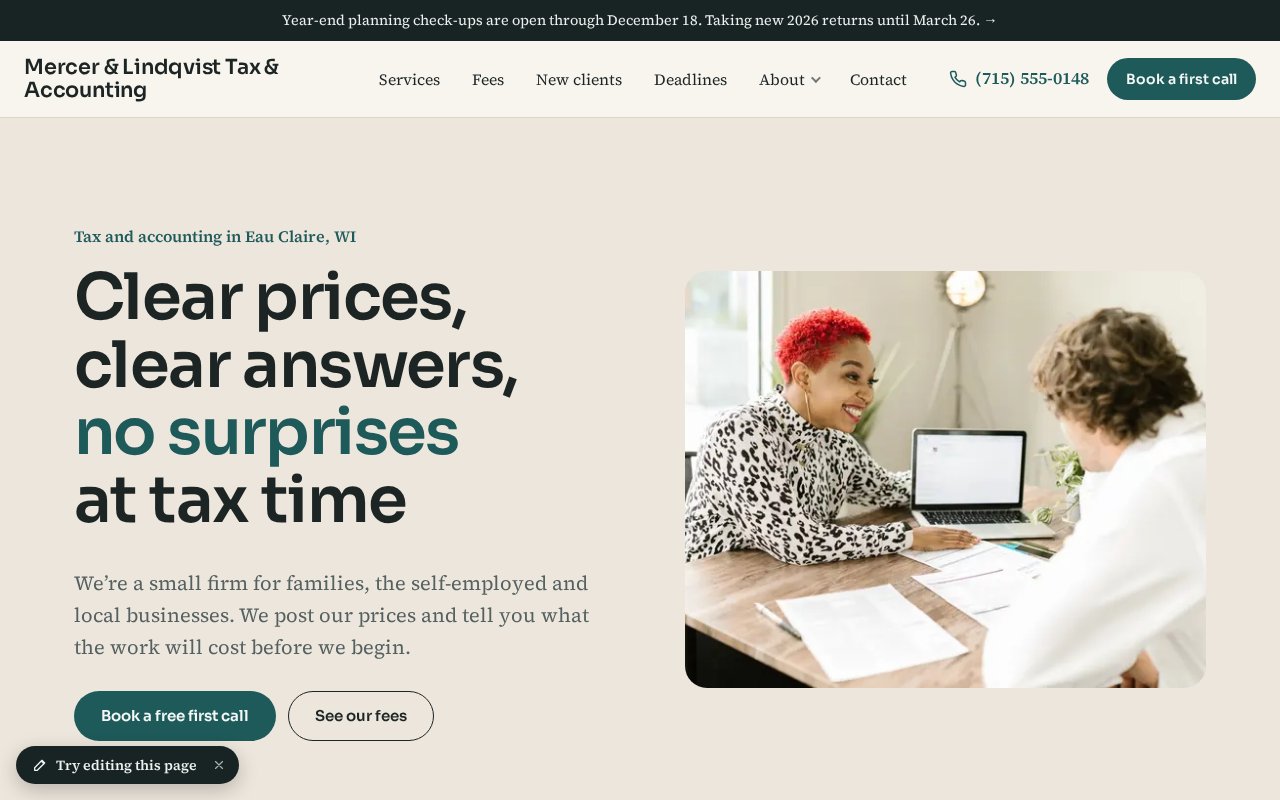
How an accounting or tax practice uses it
Start with the plan alone and add what you need when you need it. Nothing here is a separate login.
Post what you charge
In the planA price list with flat starting prices for the common returns, monthly bookkeeping and payroll packages, and a note that fees are never based on the size of a refund. Accountants may publish fees, and almost none do, so the page answers the search before a competitor’s does.
Book the free first call online
Bookings & RSVPs · +$5/moA short first call, a year-end check-up, a planning meeting and a paper drop-off as appointments with a person’s name on each. Paid ones are billed by invoice afterward, so nobody enters card details on the first visit.
Explain your credentials
In the planCPA, enrolled agent and preparer tax identification number mean different things, so say which each person holds and link to the IRS page on choosing a tax professional. Your state license goes in the footer on every page.
Keep papers and Social Security numbers off the form
In the planThe contact form asks only for a name, a phone number, an email, the kind of work and a best time to call, with no message box. Pages say where documents go: your client portal, never email or a contact form.
Put the deadlines where clients look
In the planThe tax dates, extensions and the year-end check-up window on one page, and a short post when something changes, like open enrollment.
Run free workshops
Bookings & RSVPs · +$5/moA small-business tax basics evening or a year-end planning session with a limited number of spots and a waitlist. Sign-ups come with an email address for the next one.
Remind clients before the dates that matter
Newsletter sending · +$4/moQuarterly estimates, year-end moves, what to bring in January. Everyone who signs up goes on your contacts list, and a short newsletter reaches them without a separate email service. Say these are general notes, not tax advice.
Say it isn’t advice, and say how you protect their information
In the planA short notice that the site is general information, and a privacy page that says what you collect and how you store it. Those pages are part of the plain plan.
What it adds up to
The plan with the add-ons we’d suggest costs $17 a month billed yearly, or $21 month to month.
$17/mobilled yearly · $21 month to month
- Website plan$8
- Bookings & RSVPs$5
- Newsletter sending$4
| Instead of | On its own | Here |
|---|---|---|
| Online booking | $10/mo Calendly Standard | $5/mo |
| Email newsletters | $13/mo Mailchimp Essentials, 500 contacts | $4/mo |
About $23 a month on their own, for one person, as listed in October 2026. Check each company’s site for current pricing.
Pictures, icons and tools in your colors
SiteBrite Studio is a free library of illustrations, icons and avatars that take on your brand colors, plus tools for signs, QR codes and more. They’re the same pictures your site uses, so a flyer or an Instagram post matches it.










What owners ask
See yours before you pay
We convert your current site for free, or build one from a few questions if you don’t have one.