Payment requests
Get paid a deposit or send an invoice, by link.
Ask for a payment or send an invoice by email or link. Paid straight to your Stripe.
$2/moIncluded in Business
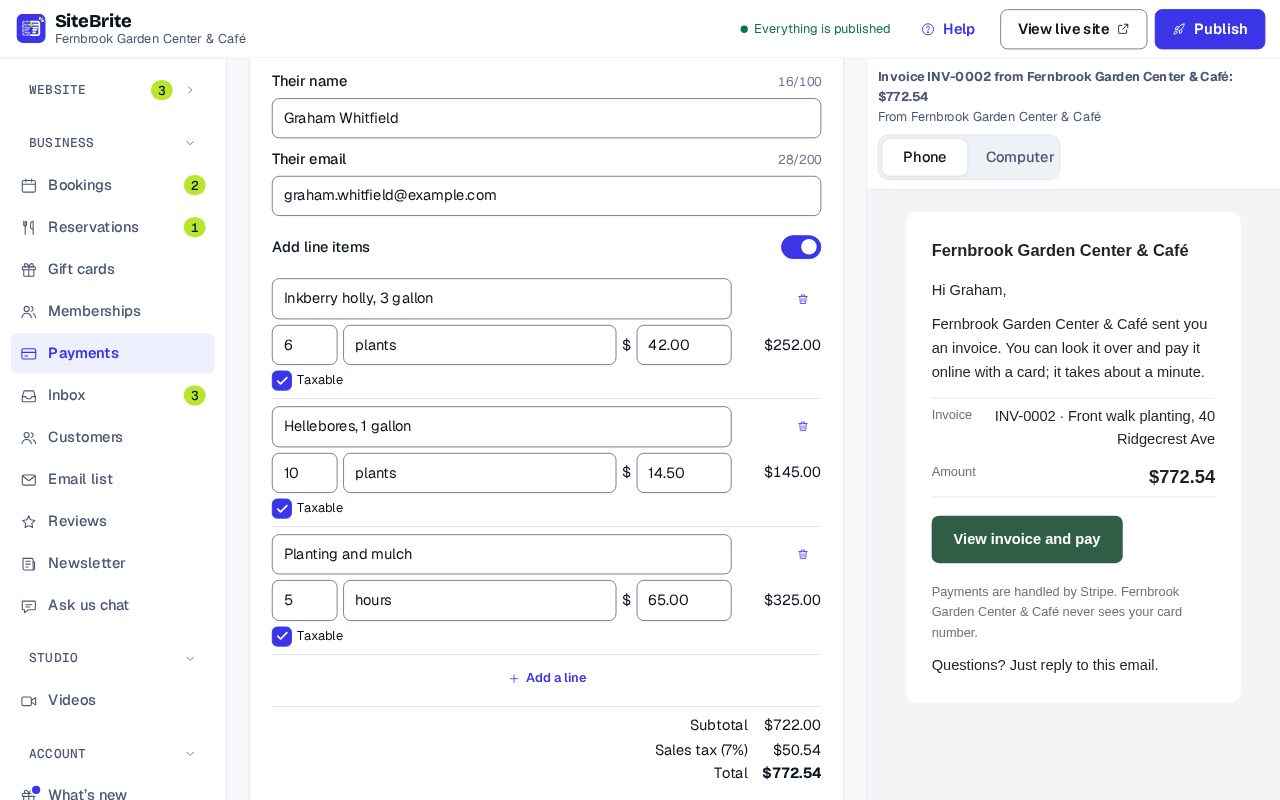
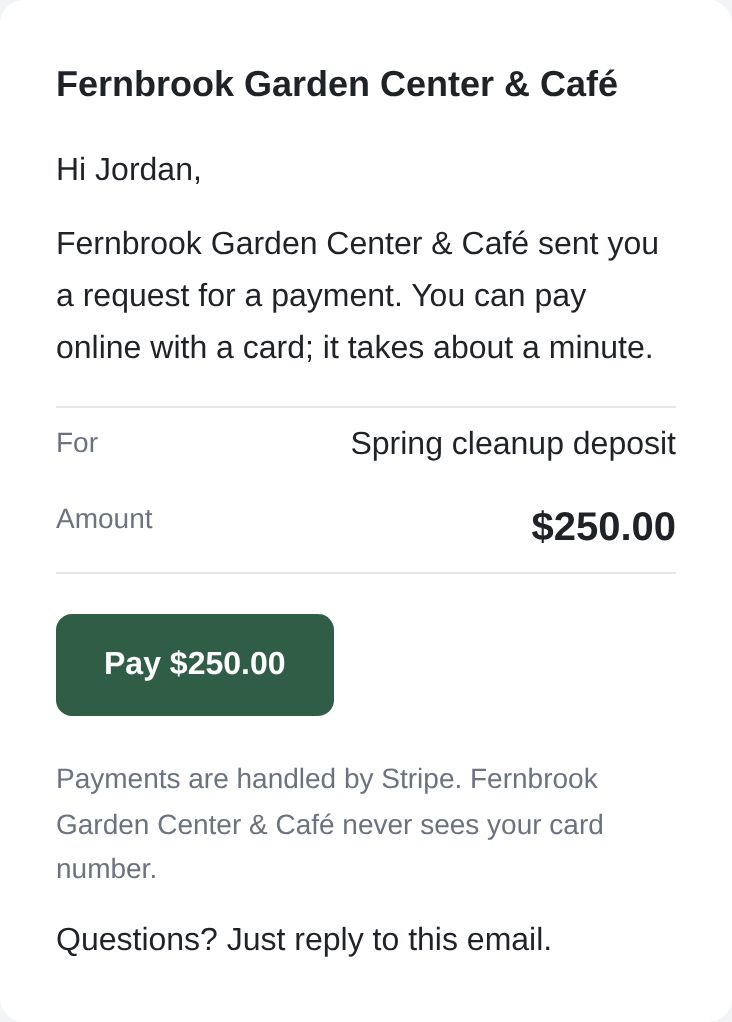
What your customers see
Nothing to install. Nothing to sign up for.
- One button to pay by card
- Paid straight to your Stripe account
What you see
Simple to run, every day
- Ask for a payment from a lead or a booking
- See what’s paid and what isn’t
- Send it by email or copy the link
- Add line items for an invoice with tax and a due date
How it works
From setup to your first customer
- Step 01
Connect your Stripe account
- Step 02
Open a lead or a booking and ask for a payment, or add line items to invoice
- Step 03
Your customer pays by card
- Step 04
The money lands in your Stripe account
Details that matter
Nothing hidden
- Send by email, or copy a link to text.
- Customers pay by card.
- Tied to a lead or a booking.
- Invoices with line items, sales tax, a due date and a PDF.
- Straight into your Stripe account. We take no cut.
Where it works
Works with or without a website: an email or a link to your customer.
Why not a plain payment link?
Stripe and Square payment links are free too. What you get here is the request tied to the lead or booking it belongs to, in the same place as everything else.
Price
$2 a month, or free with the online store
Add it on its own to a website plan, or get it with the other tools in Business, from $16 a month billed yearly.
See all pricesQuestions
About Payment requests
No. Stripe’s card fees are Stripe’s; we add nothing.
Yes. Turn on line items for hours at a rate or several things on one bill, with sales tax and a due date. Your customer gets an invoice page and a PDF.
Yes. If you have the online store, payment requests and invoices are included.