Customers
Know every customer, and what they’ve done with you.
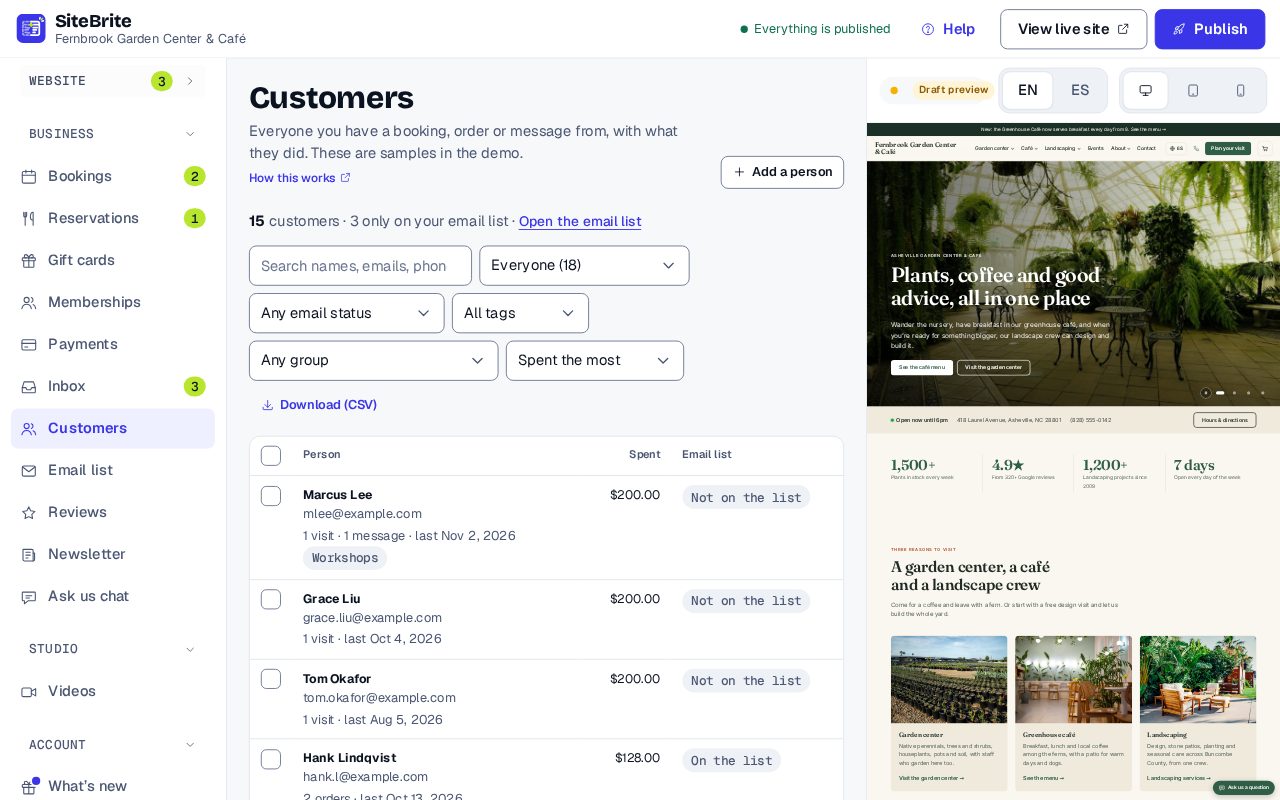
Everyone who booked, bought, wrote or paid, in one list with their history.
Included with every plan
What you see
Simple to run, every day
- Everyone from bookings, orders, messages, gift cards and payments
- Each person’s history, with your own note and tags
- Groups like the people who haven’t been back in a while
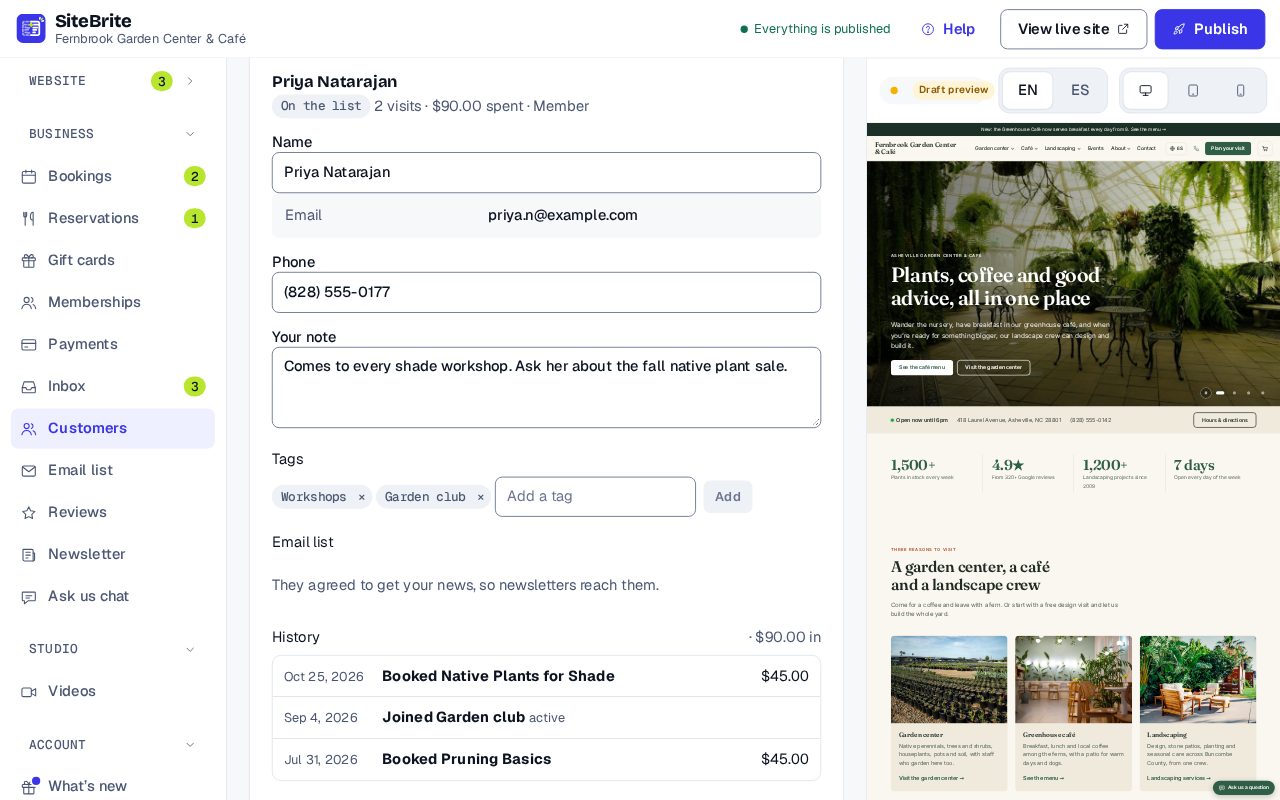
Everything one person did with you
Open anyone to see their messages, bookings, orders and payments, newest first, with your note and tags beside them.
How it works
From setup to your first customer
- Step 01
Nothing to set up: people appear as they book, buy and write
- Step 02
Open someone to see everything they’ve done with you
- Step 03
Add a note and tags
- Step 04
Send a newsletter to a group, or download the list
Details that matter
Nothing hidden
- Worked out from your bookings, orders and messages, so nobody is missed and nothing goes out of date.
- A note and tags on each person, for your whole team.
- Visits, last seen and money spent, after refunds.
- Find people by name or tag, or by group: booked in the last 90 days, haven’t been back in 90 days, came twice or more or spent $100 or more.
- Being a customer never puts anyone on your email list.
- Download the list as a spreadsheet.
Where it works
In your editor, with or without a website.
Price
Included, at no extra cost
Customers comes with every website plan and with Business.
See all pricesQuestions
About Customers
It comes with every website plan and with Business.
No. Someone who booked or wrote to you is a customer, not a subscriber. Only people who agreed to hear from you get newsletters.
Anyone who sent a message, booked, ordered, joined, bought a class pack or gift card, or paid you. You can add someone by hand too.