Signed forms and waivers
Waivers that sign themselves.
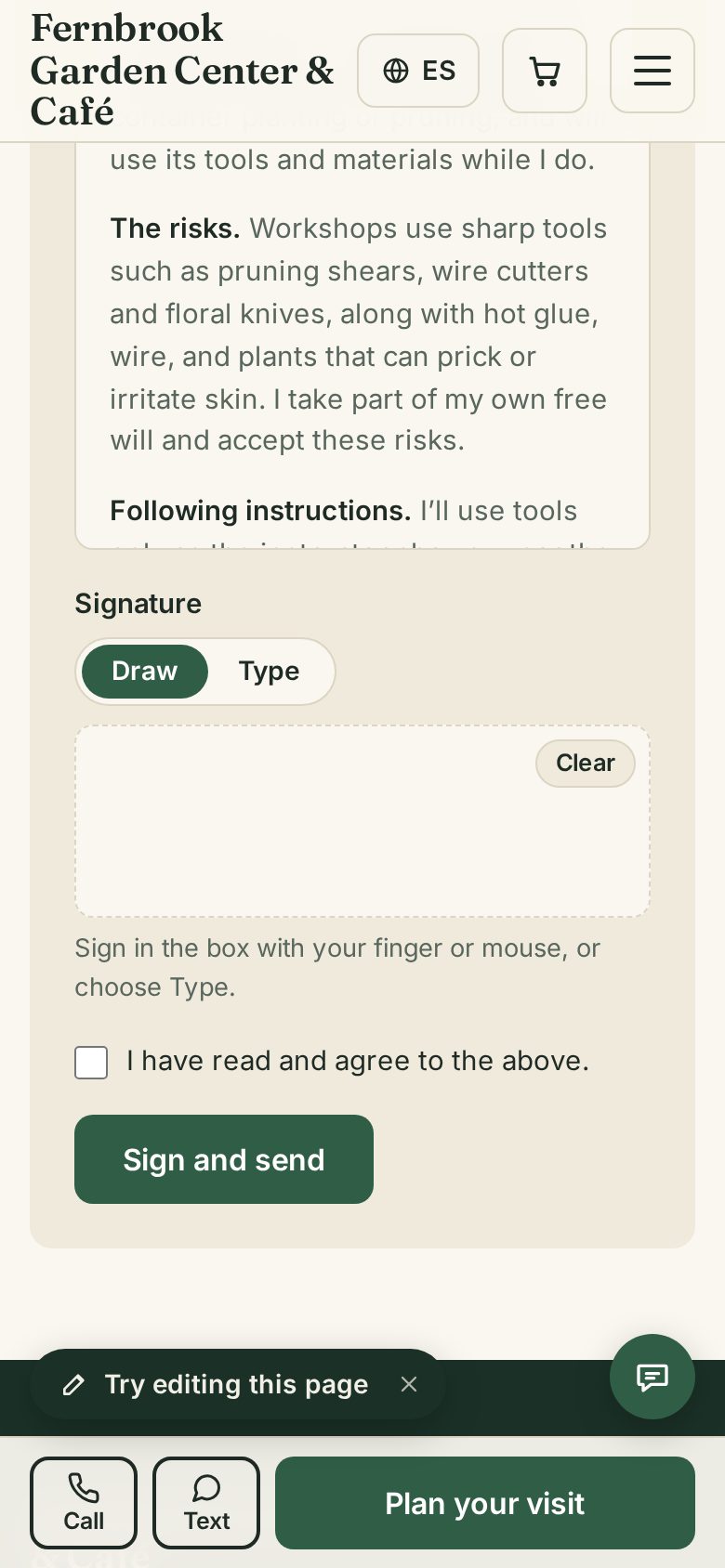
Customers sign with a finger. You both get a PDF.
$2/moIncluded in Business
What your customers see
Nothing to install. Nothing to sign up for.
- Sign with a finger or mouse, or type a name
- A PDF copy by email
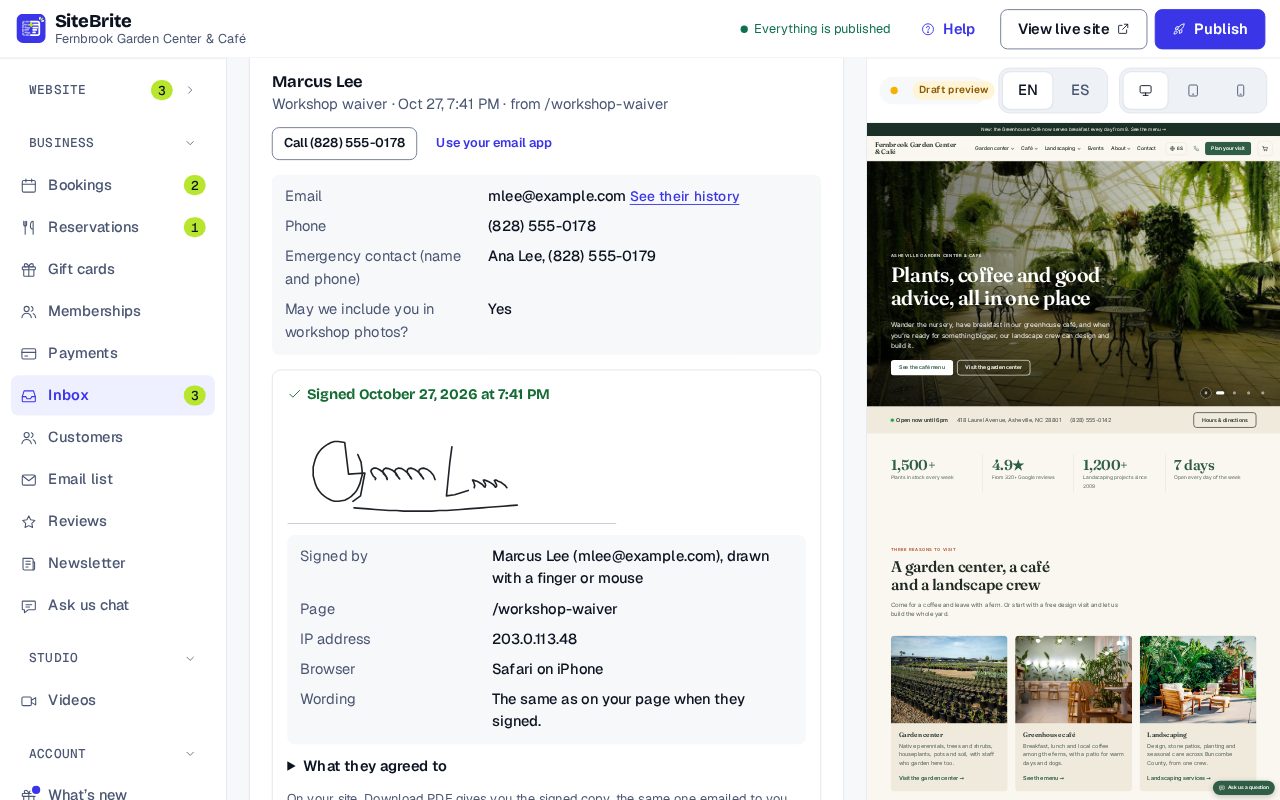
What you see
Simple to run, every day
- Every signed form, with its PDF
- Copy a paper or Word form with AI
- Check it before it goes live
How it works
From setup to your first customer
- Step 01
Upload your paper, PDF or Word form
- Step 02
We copy it into a form; you check it
- Step 03
Put it on a page of your website
- Step 04
Customers sign, and you both get a PDF
Details that matter
Nothing hidden
- Sign with a finger or mouse, or type a name.
- You and your customer each get a PDF.
- AI copies a paper, PDF or Word form. You check it before it goes live.
- Website only today.
Where it works
- On our page for your business Not available today
- Pasted onto your site Not available today
- Inside a website from us
What it replaces
The same job, for less
Smartwaiver Basic$19/moEntry plan, checked October 2026
Signed forms and waivers, from us$2/moAs an add-on, or included in Business
Price
$2 a month
Add it on its own to a website plan, or get it with the other tools in Business, from $16 a month billed yearly.
See all pricesQuestions
About Signed forms and waivers
Yes, today. Signed forms work on a website from us.
Yes. Upload it, and we copy it into a form you check before it goes live.
You and your customer each get a PDF.