Restaurant reservations
Fill your tables, and see tonight’s list.
Guests reserve a table by party size. You see tonight’s list.
$10/moSeparate add-on
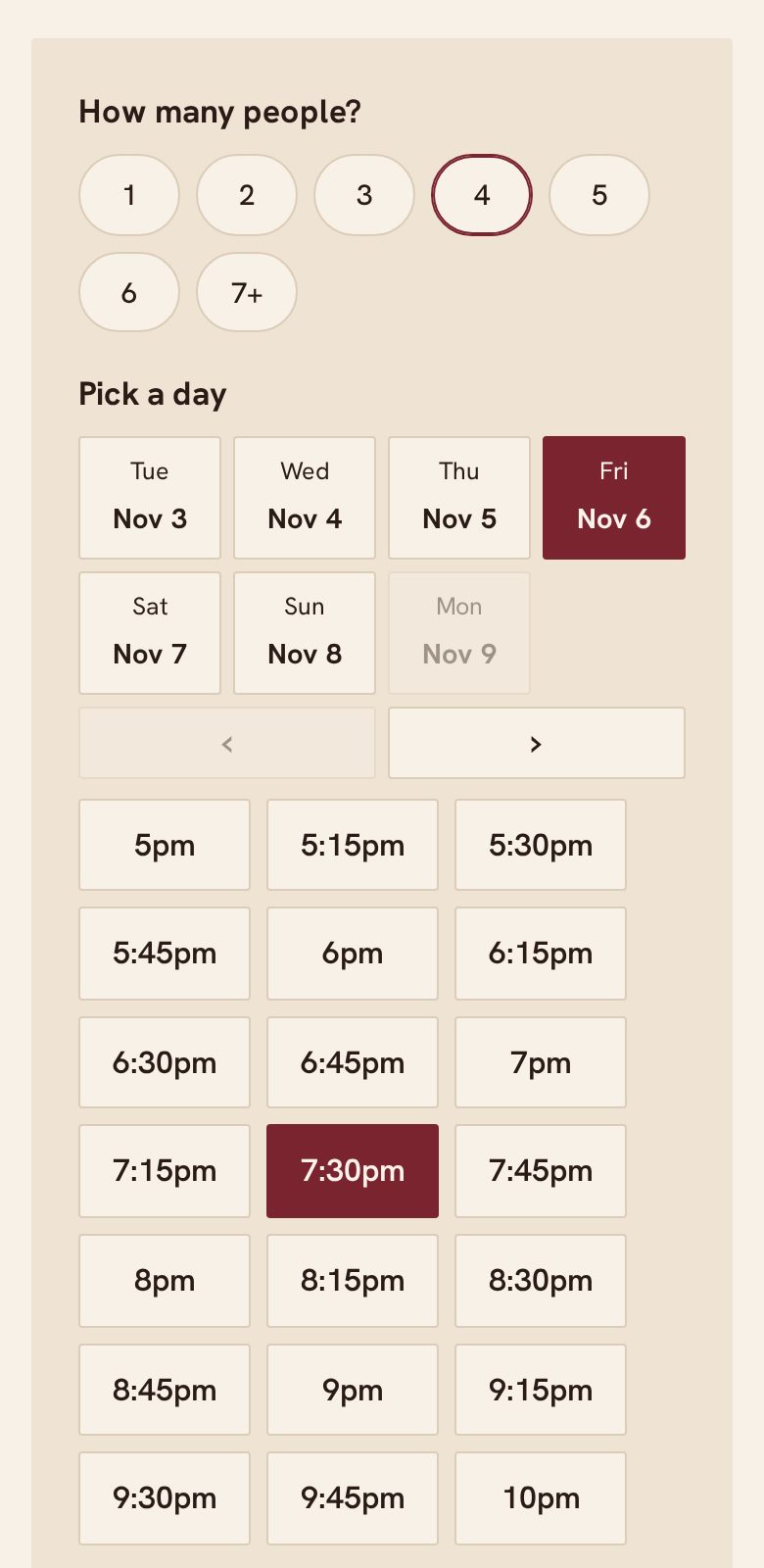
What your customers see
Nothing to install. Nothing to sign up for.
- Choose party size, day and time
- A reminder before the reservation
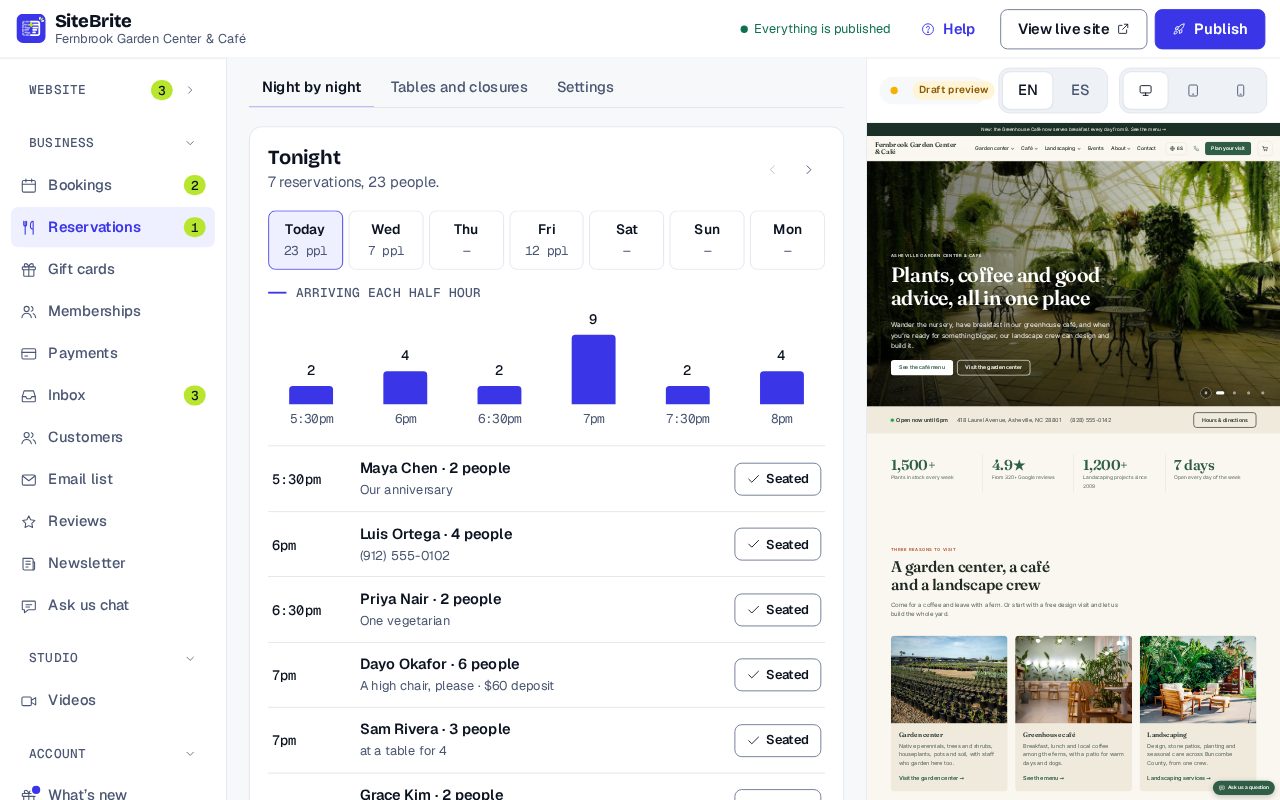
What you see
Simple to run, every day
- Tonight’s list, in time order
- Mark guests as seated
- Add phone reservations in the same place
How it works
From setup to your first customer
- Step 01
Set your tables, party sizes and hours
- Step 02
Share your page, or paste the reservation form onto your site
- Step 03
Guests reserve, and get a reminder
- Step 04
Open tonight’s list and seat them
Details that matter
Nothing hidden
- Guests reserve by party size.
- Each table size keeps its own time, so a table for two turns over sooner than a table for eight.
- Take reservations by phone in the same list.
- Reminder emails before each reservation.
- Optional deposits, paid into your own Stripe account.
- Up to 3,000 reservations a month.
Where it works
- On our page for your business
- Pasted onto your site Embed: Table reservations
- Inside a website from us
Questions
About Restaurant reservations
No. There is no fee per guest or per reservation.
No to both. Reservations is a separate add-on, $10 a month, on any plan. Guests can reserve on your booking page, or on a website you already have with the form pasted onto it. It starts once your Business plan or a website plan is running.
Yes, optionally. They go into your own Stripe account.