A website that fills your chairs
A new client wants to see the work, know the price and book the stylist they like, without a phone call. Show all three, say who’s taking new clients, and keep your cancellation policy where it can’t be missed.
The plan with the add-ons we’d suggest: $24 a month billed yearly ($28 month to month).
See it working
Each example is a made-up business on a real SiteBrite site. Open it, click through its pages on your phone, then try its editor.
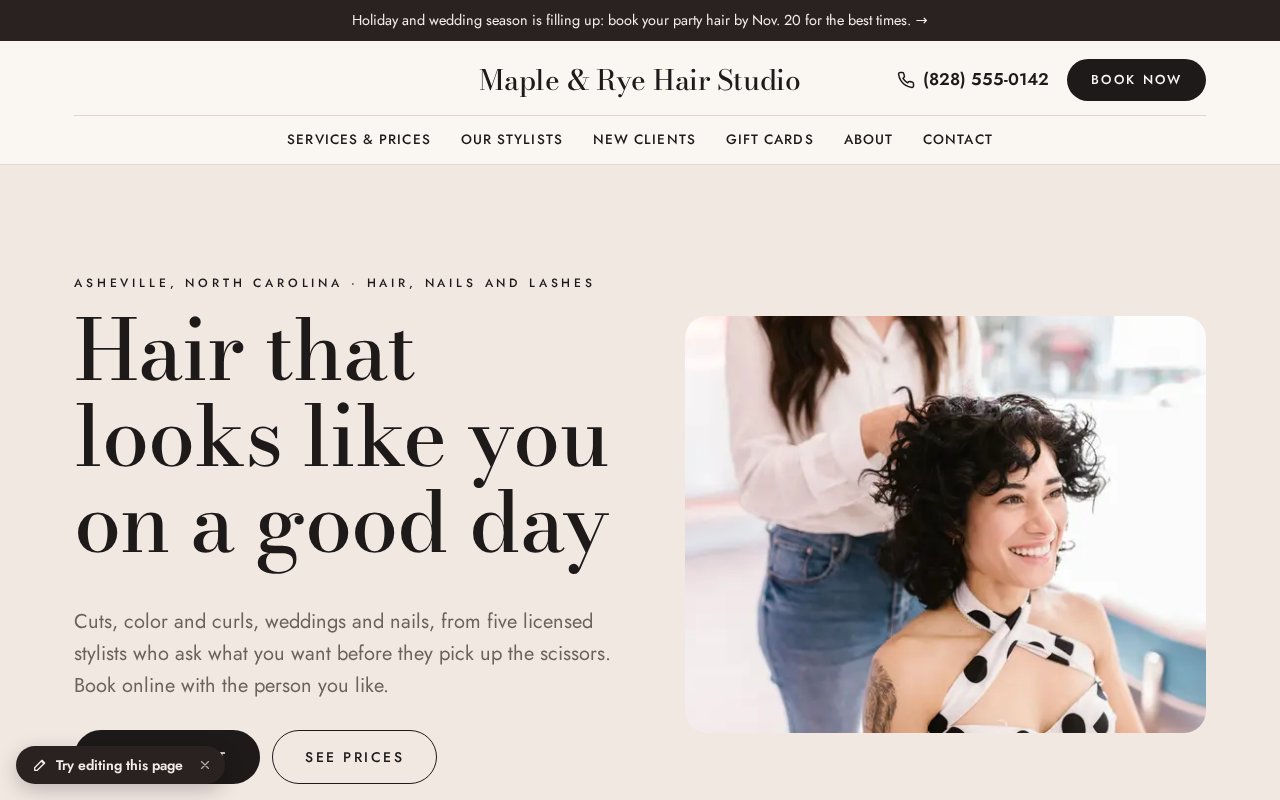
How a salon uses it
Start with the plan alone and add what you need when you need it. Nothing here is a separate login.
Put your prices on the page
In the planA price list by kind of service, with “starting at” prices and how long each takes, priced by time and technique and not by who’s in the chair. New clients choose faster when they can see it, and they stop asking by phone.
Let them book the stylist they want
Bookings & RSVPs · +$5/moEach service as an appointment, with the stylist, the time it takes and a deposit on color, updos or long services. Your cancellation policy sits beside the Book button, in plain words. Already on Vagaro or Fresha? Paste the link and keep it.
Sell gift cards, and let them pay for a booking
Gift cards and coupons · +$2/moGift cards and coupons with a QR code you scan at the chair. A card can also pay for an online booking, so a holiday gift becomes a visit.
Have color clients sign before they sit down
Signed forms and waivers · +$2/moA color or patch-test agreement signed on their phone, with a PDF copy for each of you and the booking linked to it. It collects consent, not health history.
Show who does what
In the planA page for each stylist with their specialties, a photo, a booking button with their name, and who’s taking new clients.
Announce the season’s news
Newsletter sending · +$4/moHoliday hours, party-season updos, a new nail or lash service. Everyone who signs up goes on your contacts list, and a short newsletter reaches them without a separate email service.
Turn a good appointment into a review
Review requests · +$3/moThe day after a visit, a friendly email asks for a Google review with one button. You see who clicked.
Take your link everywhere
Free toolA link-in-bio page for Instagram with your booking, prices and gift cards, and a QR code for the mirror and the receipt.
What it adds up to
The plan with the add-ons we’d suggest costs $24 a month billed yearly, or $28 month to month. Business is the cheaper way to get these add-ons together.
$24/mobilled yearly · $28 month to month
- Website plan$8
- Business plan$16
| Instead of | On its own | Here |
|---|---|---|
| Online booking | $10/mo Calendly Standard | $5/mo |
| Email newsletters | $13/mo Mailchimp Essentials, 500 contacts | $4/mo |
| Asking customers for reviews | $75/mo NiceJob Reviews | $3/mo |
| Signed waivers and forms | $19/mo Smartwaiver Basic | $2/mo |
About $117 a month on their own, for one person, as listed in October 2026. Check each company’s site for current pricing.
Pictures, icons and tools in your colors
SiteBrite Studio is a free library of illustrations, icons and avatars that take on your brand colors, plus tools for signs, QR codes and more. They’re the same pictures your site uses, so a flyer or an Instagram post matches it.














What owners ask
See yours before you pay
We convert your current site for free, or build one from a few questions if you don’t have one.