A website that keeps up with your seasons
What’s ripe, what’s in stock and when you’re open all change week to week. Change them yourself in a minute, take orders and workshop sign-ups, and let people know what’s new.
The plan with the add-ons we’d suggest: $30 a month billed yearly ($34 month to month).
See it working
Each example is a made-up business on a real SiteBrite site. Open it, click through its pages on your phone, then try its editor.
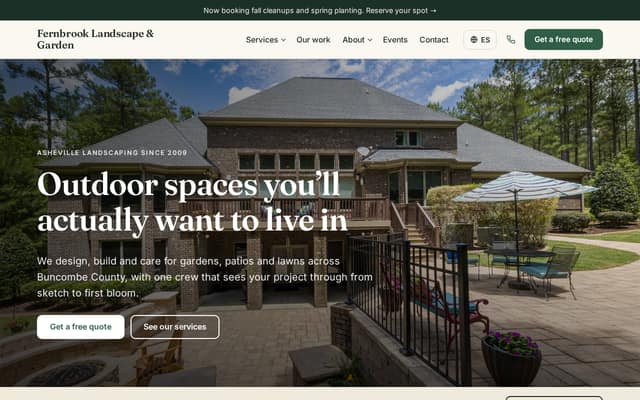
How a farm or garden center uses it
Start with the plan alone and add what you need when you need it. Nothing here is a separate login.
Put the season on the front page
In the planSet summer and winter hours once, add the days you’re closed, and the site shows “open now” and a banner for you. When the pumpkin patch opens, change one line in the announcement bar and publish.
Post every event with its own page
In the planThe strawberry festival, the fall market, the holiday wreath night: each event gets a page that search engines can find and visitors can add to their calendar. Past events drop off by themselves.
Sell what’s ready
Online store · +$10/moPlants, produce boxes, honey, eggs, gift cards. Give a product choices like pot size, offer pickup or shipping, and take card, Apple Pay and Google Pay straight into your own Stripe account. We take no cut of your sales.
Fill your workshops and tours
Bookings & RSVPs · +$5/moPlanting classes, school visits, u-pick days and wreath-making with a limited number of spots, a waitlist, and a deposit or payment when people sign up.
Tell people what’s in season
Newsletter sending · +$4/moEveryone who signs up on your site, or ticks “Email me news and offers” when they order or book, goes on your contacts list. Write a short note about what’s new, or let AI draft it from your events, and send it to the list.
Ask happy customers for a review
Review requests · +$3/moThe morning after a visit, an order or a finished job, a friendly email goes out with one button to your Google review page. You see who clicked.
Quote the landscaping jobs
In the planIf you also design or maintain yards, a quote form takes photos of the space, and every request lands in your inbox with a reminder to follow up.
Print a sign for the stand
Free toolMake a seasonal hours sign for the gate and a QR code that opens your price list or review page, in your farm’s colors.
What it adds up to
The plan with the add-ons we’d suggest costs $30 a month billed yearly, or $34 month to month.
$30/mobilled yearly · $34 month to month
- Website plan$8
- Online store$10
- Bookings & RSVPs$5
- Newsletter sending$4
- Review requests$3
| Instead of | On its own | Here |
|---|---|---|
| Online booking | $10/mo Calendly Standard | $5/mo |
| Email newsletters | $13/mo Mailchimp Essentials, 500 contacts | $4/mo |
| Asking customers for reviews | $75/mo NiceJob Reviews | $3/mo |
About $98 a month on their own, for one person, as listed in October 2026. Check each company’s site for current pricing.
Pictures, icons and tools in your colors
SiteBrite Studio is a free library of illustrations, icons and avatars that take on your brand colors, plus tools for signs, QR codes and more. They’re the same pictures your site uses, so a flyer or an Instagram post matches it.














What owners ask
See yours before you pay
We convert your current site for free, or build one from a few questions if you don’t have one.